
Caregiver Settings
The Settings area is designed for family members or caregivers using standard touchscreen interactions. Tapping "Save" commits changes; "Cancel" discards edits made during the session.
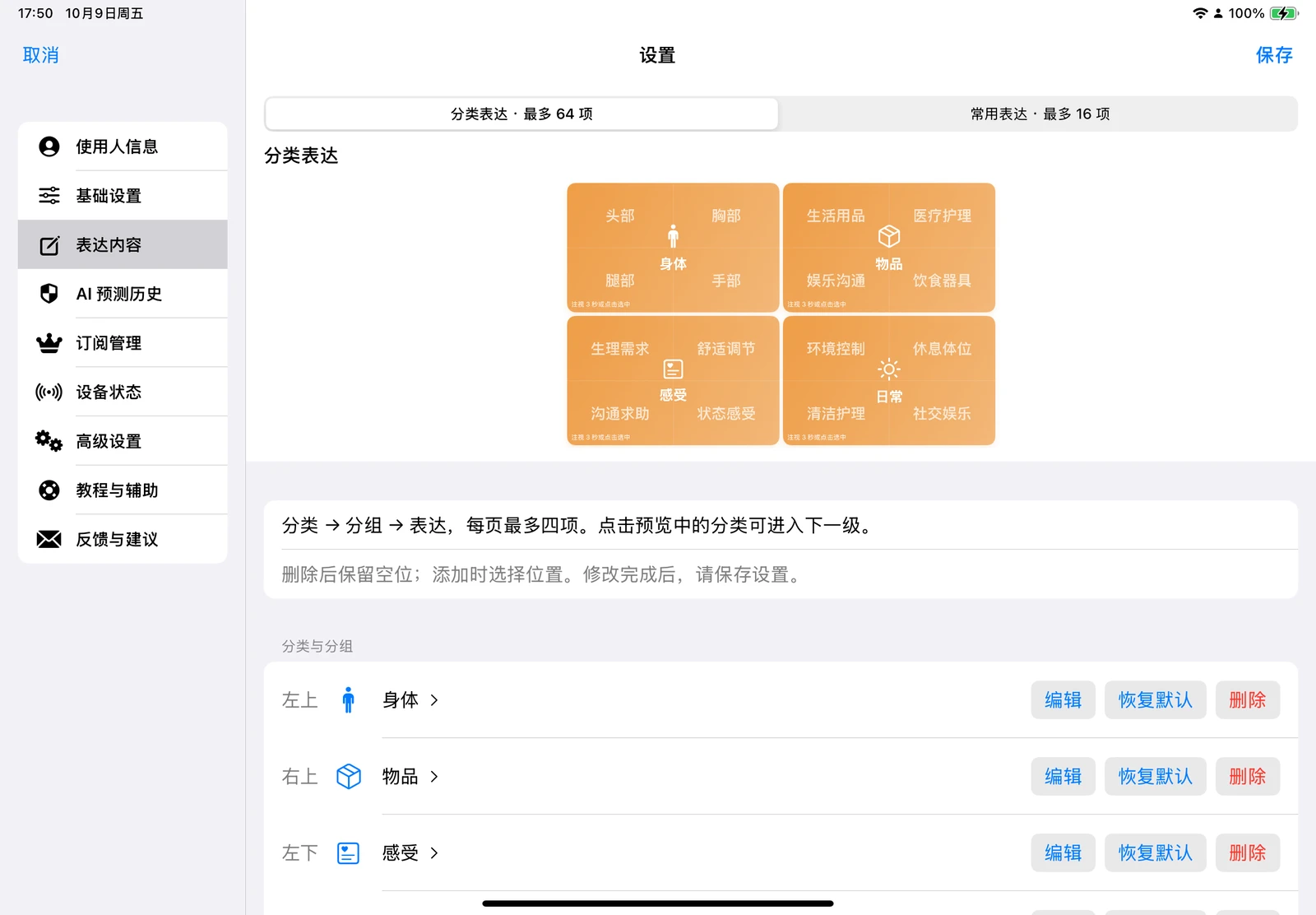
Settings Tabs Overview
| Tab | Content & Controls |
|---|---|
| User Profile | Age, gender, condition and nursing limits, caregivers, medications, favorite foods, habits, environment, and keywords |
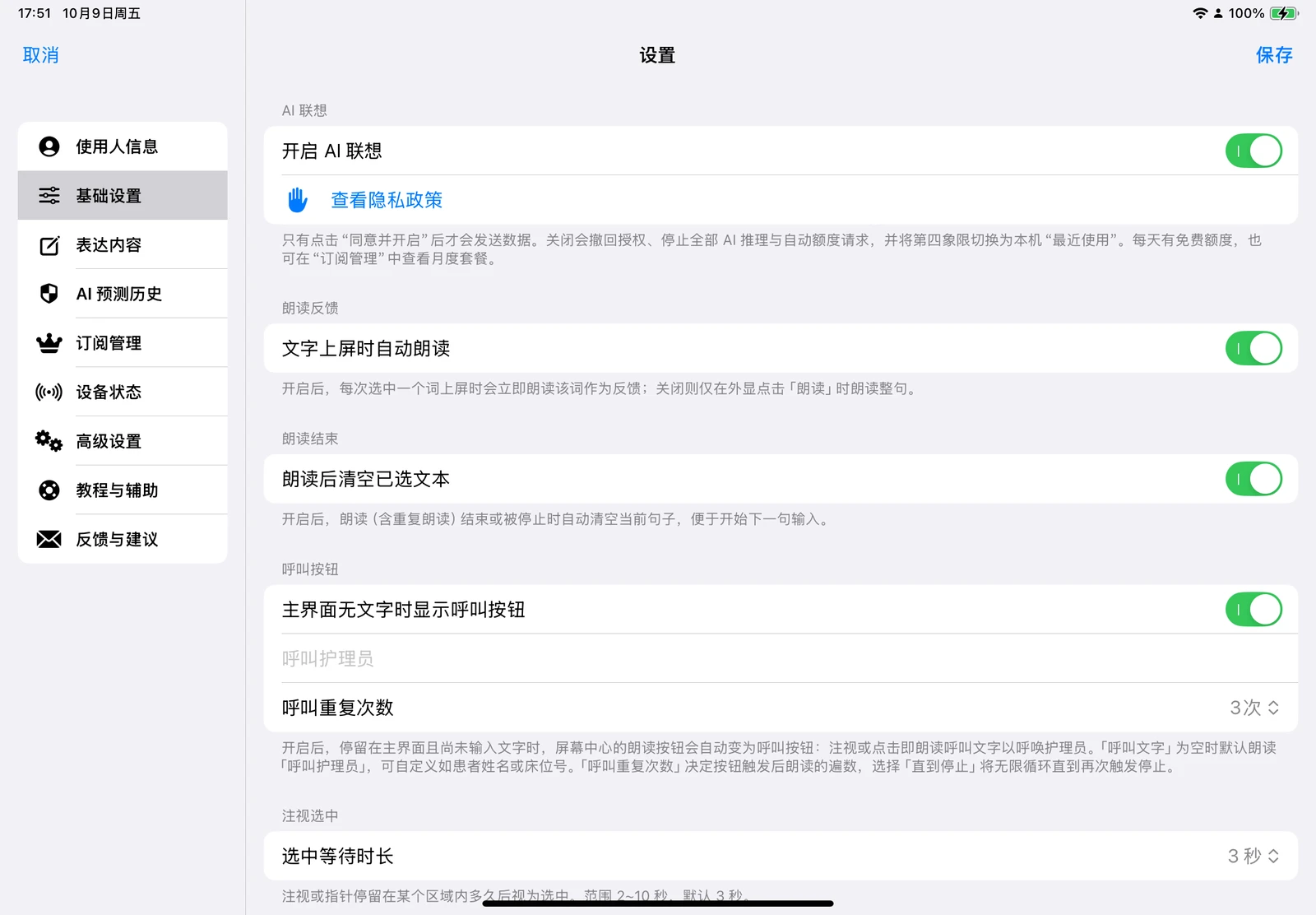
| General Settings | AI authorization, selection feedback, speech synthesis, call button, dwell duration, gaze-away speech, and audio context |
| Expression Content | Edit Categorized Expressions (up to 64 phrases) and Frequent Phrases (up to 16) |
| AI Prediction History | View local field summaries and timestamps from the past 7 days, or clear records |
| Subscriptions | View daily remaining AI calls, subscription status, live App Store pricing, and restore purchases |
| Device Status | Camera preview, microphone, speech recognition, location, network, weather, volume, and battery levels |
| Advanced Settings | Button magnification, font sizes, auto re-calibration, blink/off-screen tolerances, and AI refresh interval |
| Tutorials & Support | Replay onboarding tutorials or launch the Placement Assistant |
| Feedback & Help | Submit bug reports, optional contact info, and up to 5 screenshots directly within the app |
User & Clinical Care Information
Beyond basic demographic details and residential setting, caregivers can configure specific clinical parameters: intake route (oral/tube feeding), fluid restrictions, respiratory support, mobility/positioning limits, hemiplegia side, nursing tags, primary caregiver address forms, regular medications, and dietary preferences.
This data is used to contextualize communication and filter out unsafe suggestions. For example, if "NPO / Strict Fluid Restriction" is selected, the AI prompt explicitly forbids suggesting oral fluids or foods. Conversely, providing regular medications allows the model to suggest specific medication names when expressing discomfort. Critical medical needs must always be confirmed by caregivers.
Key General Settings
- Enable AI Suggestions: Prompts the third-party data sharing disclosure before activation. Disabling halts all AI calls immediately, switching the fourth quadrant to "Recents".
- Auto-Speak Upon Selection: Enabled by default to provide immediate vocal feedback when an item is added.
- Auto-Speak When Looking Away: Enabled by default (10 seconds, adjustable from 5 to 20 seconds).
- Caregiver Call Button: Customize spoken call text and repetition count. Ensure call text avoids unnecessary confidential identifiers.
- Listen to Caregiver: Disabled by default. When enabled, uses an on-device audio stream for speech transcription and ambient sound classification, requiring microphone and speech recognition permissions.
Advanced Settings
Advanced parameters govern gaze dwell hitboxes, visual magnification, and auto re-calibration timing. Unless troubleshooting specific interaction difficulties, keeping default settings is recommended. You can revert modifications at any time via "Reset Advanced Settings to Default".
Model Service & In-App Subscriptions
Online AI capabilities are mediated through a developer proxy to Volcano Engine (Volcengine Ark). Users do not need to configure API keys or select model versions; model routing is managed server-side.
The Subscription Management tab displays active status and live pricing retrieved from the App Store. Subscriptions are billed through Apple In-App Purchases, managed via iPadOS Settings, and can be restored across devices sharing the same Apple ID via "Restore Purchases".
WARNING
User profiles, keywords, and custom content are stored locally on the device. When AI is enabled, relevant contextual text summaries may be transmitted over HTTPS to generate predictions. For complete details, see the Privacy Policy.