Skip to content

Talking Eyes

Augmentative & Alternative Communication (AAC) for Limited Mobility

Use gaze dwell or touch to select across large four-quadrant targets—including presets, caregiver-customized phrases, Pinyin, and AI suggestions—then let iPad speak your sentences aloud. Preserving a simple, dignified communication channel for individuals with speech and motor impairments.

Current Version Main Interface

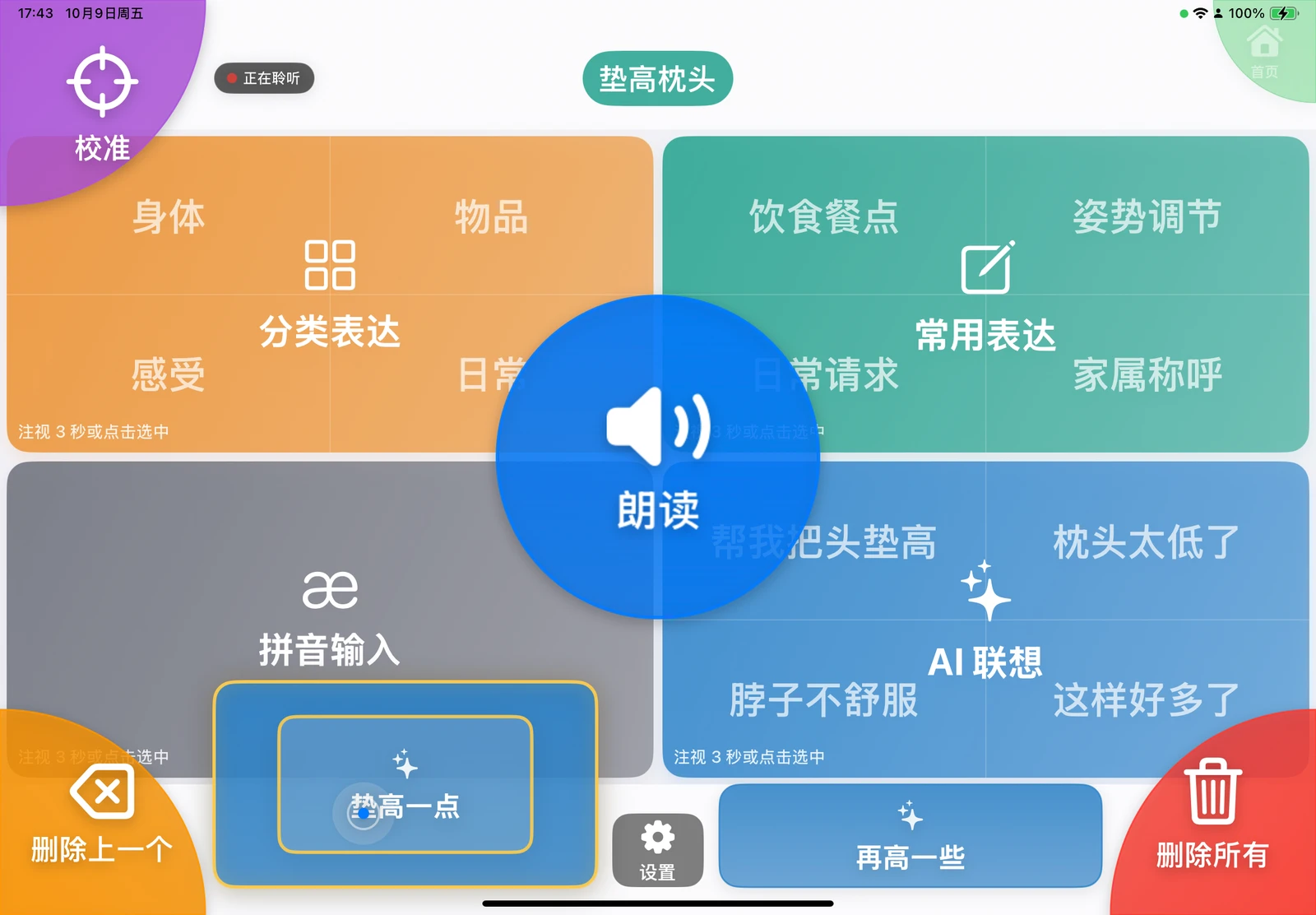
眼语心声 (Talking Eyes) 主界面真实截图

Core Features

Designed around "See clearly, select accurately, speak effortlessly"

Four-Quadrant Hierarchical Selection

The main screen features four expansive zones: Categorized Expressions, Frequent Phrases, Pinyin, and AI Suggestions. Selecting a quadrant zooms it full-screen for deeper navigation, ensuring targets are always large and easy to fixate upon.
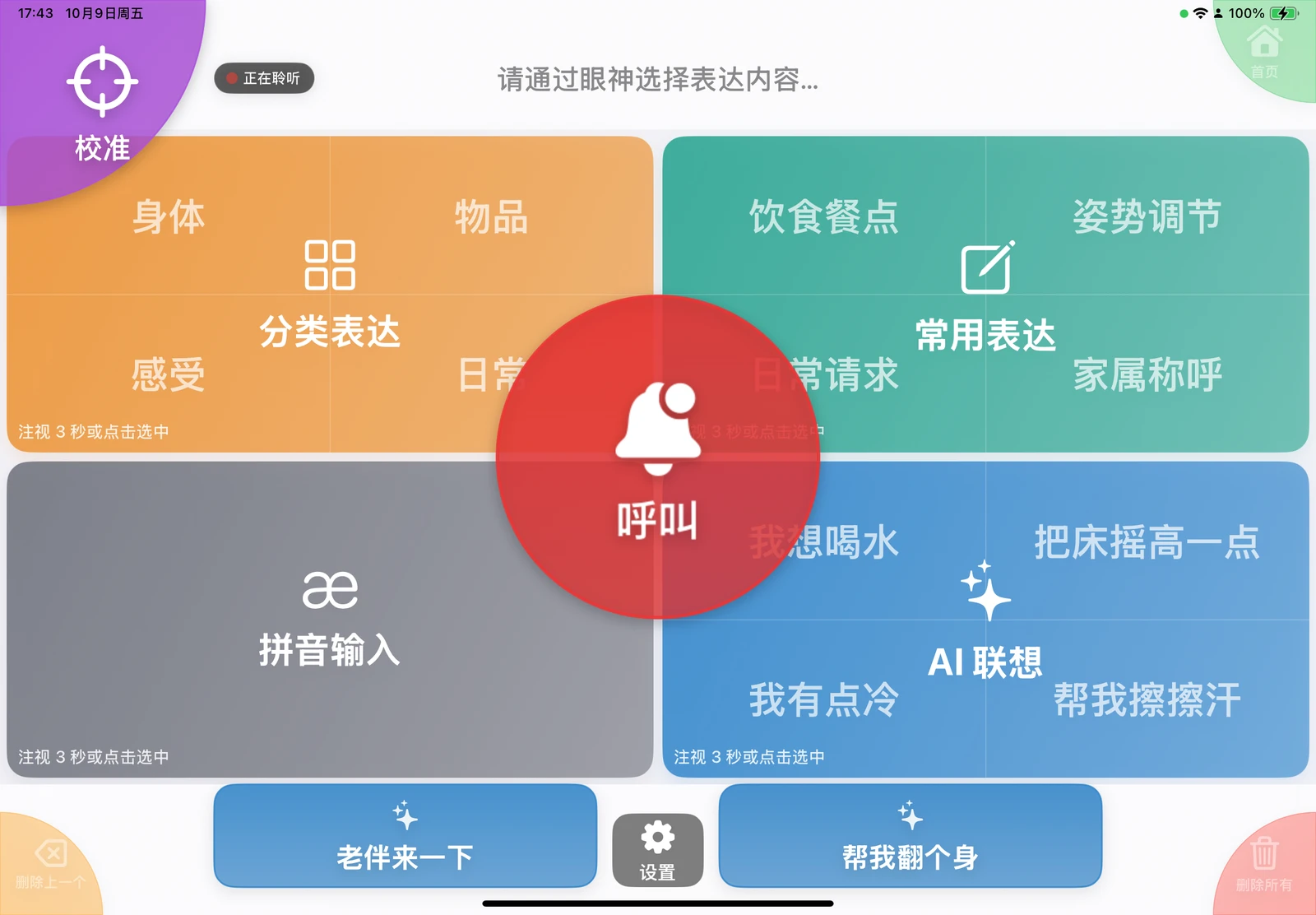

Talking Eyes main interface with Categorized Expressions, Frequent Phrases, Pinyin, and AI Suggestions quadrants

Gaze Dwell, Touch & Auto Re-calibration

Estimates gaze location entirely on-device using the iPad front TrueDepth camera and ARKit. Dwell time can be set from 2 to 10 seconds, with immediate touch also supported. Prompts re-calibration automatically when posture or device position shifts.

Device placement assistant with illustrated avatar for privacy

Dual-Channel AI Predictions

Pre-loads 4 contextual candidates in the fourth quadrant alongside 2 quick predictions at the bottom. Suggestions adapt to current sentences, user profiles, recent speech, time, weather, and authorized caregiver voice transcripts.

Talking Eyes home screen with AI suggestions and bottom quick predictions

Speech, Auto-Speak & Caregiver Call

Selected phrases appear in the top bar, with a prominent center button to speak the sentence. Supports 1–5 repeats or continuous speech, auto-clearing after speaking, gaze-away auto-speech, and an instant caregiver call button when the screen is empty.

Talking Eyes red caregiver call button in the center of the main interface

Caregiver Customization & Care Settings

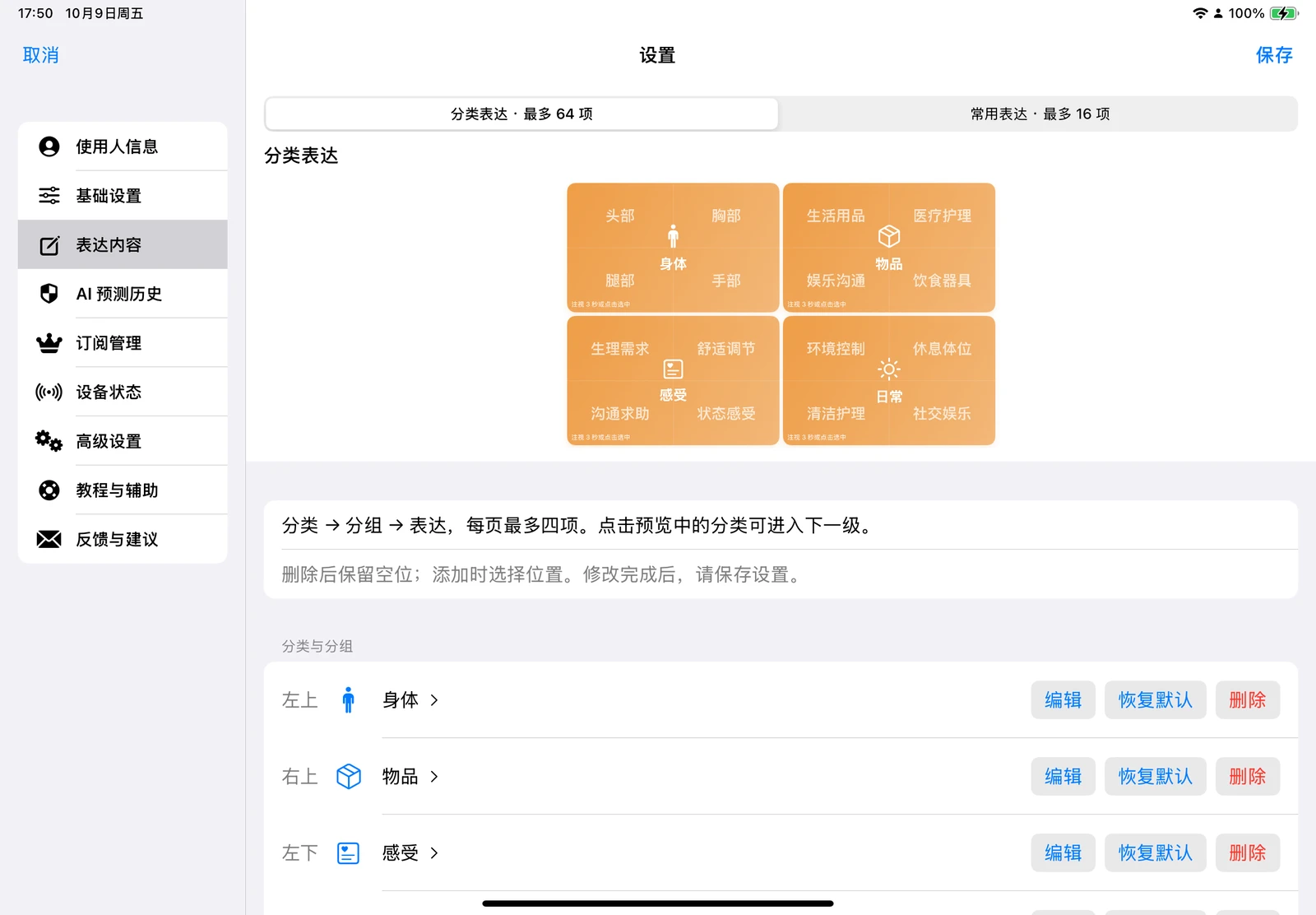
Caregivers can edit up to 64 categorized expressions and 16 frequent phrases and configure age, communication style, dietary/fluid restrictions, respiratory support, mobility limits, caregiver names, and primary environments to tailor preset phrases and AI outputs.

Talking Eyes caregiver settings for custom content

Privacy, Permissions & Device Health

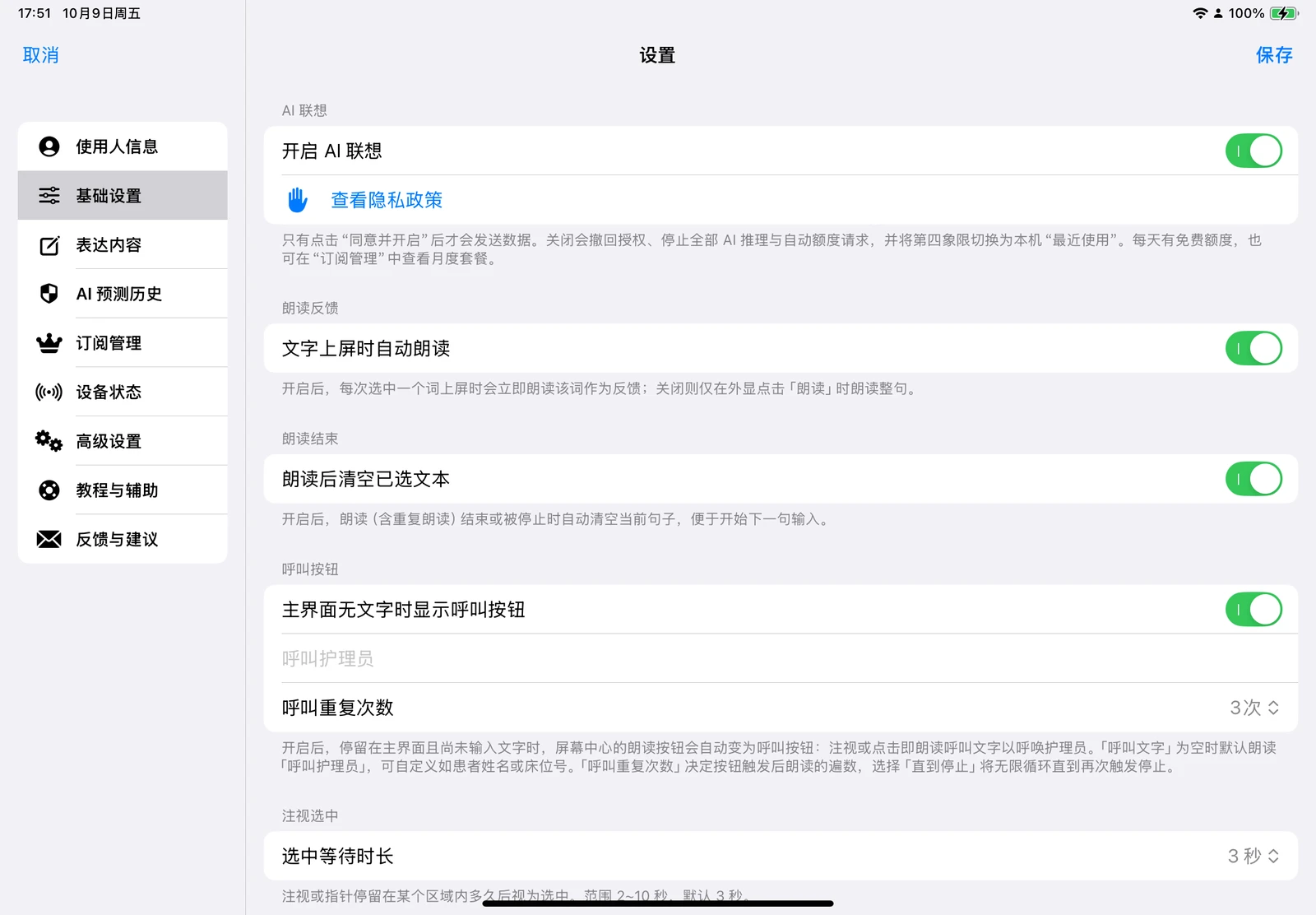
Camera, facial, and gaze data are processed strictly in volatile device memory—never stored or uploaded. AI is off by default, sending text summaries only after explicit consent. The Device Status page checks permissions, network, weather, volume, and battery.

General Settings with AI consent, privacy policy access, and speech controls

How It Works

Initially assisted by a family member or caregiver, ready to communicate once set up

  1. 1. Onboarding & Setup

    First launch presents an 8-step guide assisted by a caregiver to grant camera access, decide on AI, and configure essential profile details.

  2. 2. Placement & Calibration

    Secure iPad 40–70 cm directly in front of the user, verify centering via the Placement Assistant, then complete 6-point gaze calibration.

  3. 3. Start Communicating

    Navigate quadrants by gaze dwell or tap, or select bottom AI predictions. Sentences assemble in the top bar; speak via the center button.

  4. 4. Ongoing Customization

    Caregivers can update custom phrases, adjust dwell times, or replay the onboarding guide at any time in Settings.

Who It Is For

Paralyzed & Non-Verbal Individuals

Users who are cognitively alert and retain voluntary eye control, but cannot speak or manipulate small buttons due to ALS, stroke, TBI, or spinal cord injury.

Family Caregivers

Family members seeking to understand daily needs accurately, reduce guesswork, and provide responsive, dignified care.

Healthcare & Rehab Teams

Clinicians, nurses, and speech therapists in hospital wards, rehabilitation centers, and nursing homes facilitating essential bedside communication.

Download Talking Eyes

Now available on the App Store for iPadOS 18 or later. Gaze interaction requires ARKit face tracking support; touch mode is also available.

Use the button above to download from the App Store. A family member or caregiver should assist with initial setup and device placement.

Giving Every Gaze a Voice

Talking Eyes is an augmentative and alternative communication tool. It does not provide medical diagnosis or treatment advice, and cannot replace professional clinical observation or emergency call systems.

View User Guide